
9 AI Tools Every Digital Writer Should Have In Their Tech Stack


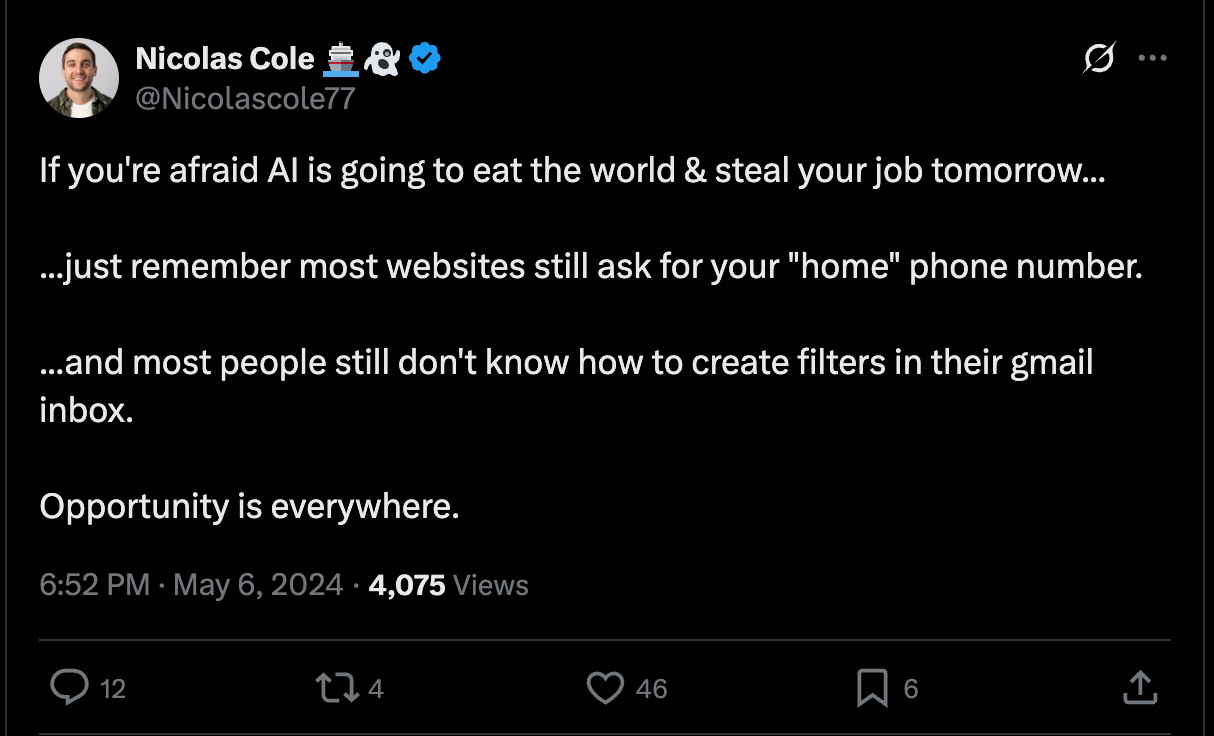
The arrival of AI revealed one important thing:
Writers feel insecure in their careers.
For the first time, there was a technology that could compete with writers everywhere:
AI can write faster than any “normal” writer.
AI can give “OK” output in a matter of seconds (which might take some writers hours to produce).
AI lowers the barrier to entry for people who want to use writing as a way to scale their message online.
So, if you’re a writer, is it already too late? Does the rise of AI mean you’ll be replaced by machines and waste hours fighting over the dwindling number of writing jobs that haven’t been taken by ChatGPT?
The short answer?
No!
AI makes your job as a writer more efficient and easier to scale (which means you can work less and earn more $$$ as a result).
Remember:
So, to give you a head start, here are 9 AI tools I recommend to every writer:
Tool 1: Typeshare
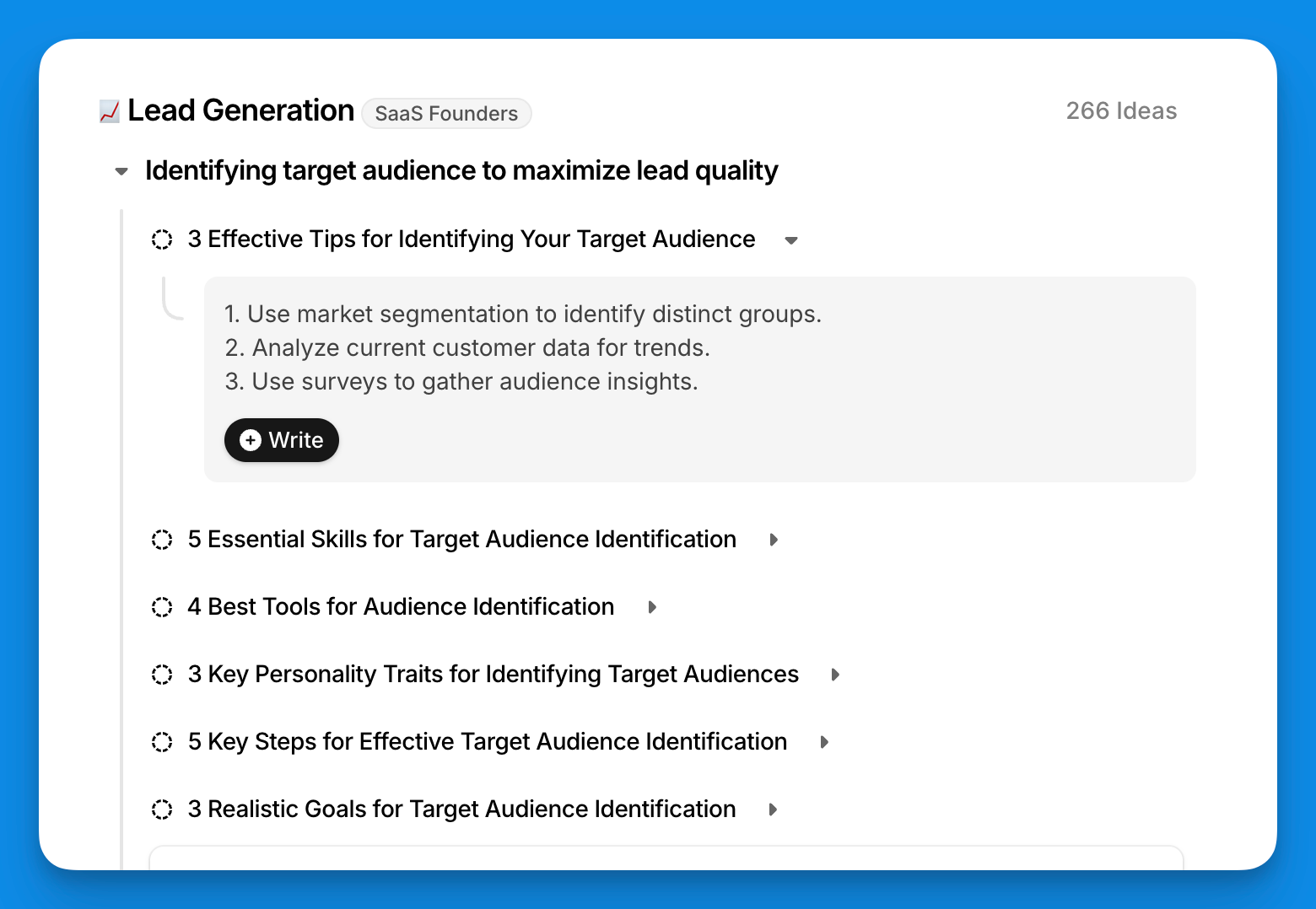
Typeshare is the home of all Digital Writers.
Inside Typeshare, there are tons of non-AI features that make it the best writing platform on the internet (400+ writing templates, publishing & scheduling to all your favorite social platforms, built-in text editors…)
But it’s the AI features that make it stand out:
An Endless Idea Generator so you never run out of writing topics again (and can get your next idea in just 2 clicks).
AI-assisted outlining so you can prep the page in seconds (and speed up your writing process).
An AI headline scorer and rewriter to help you write headlines to hook your read (and get them to keep reading)
A Content Strategy Generator so you know exactly what to write in the next 90 days
And more!
Click here to create your account and get started with Typeshare.
Tool 2: Gamma
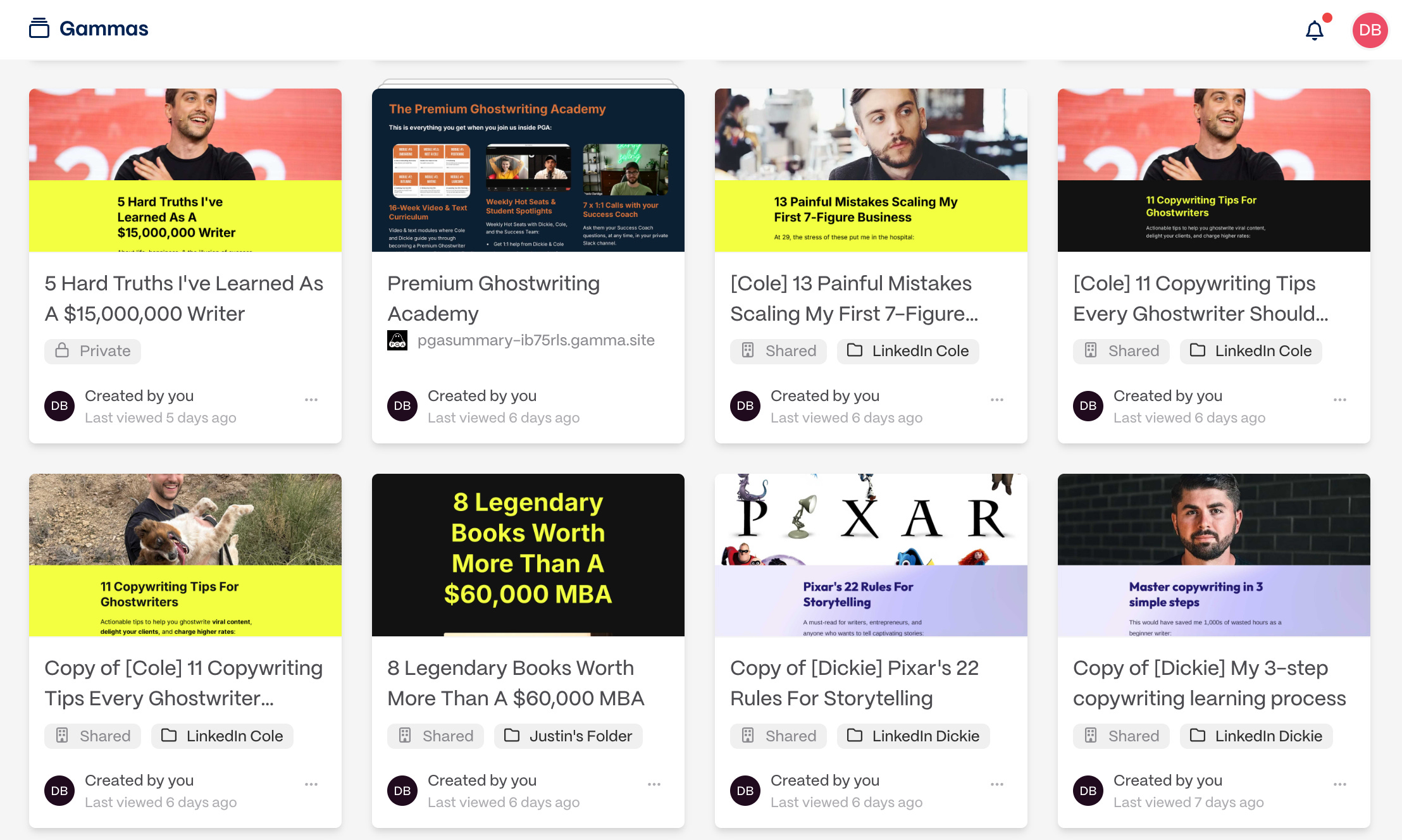
Gamma is the easiest way to turn your writing into visuals.
This is our go-to tool for LinkedIn content.
With just a draft or outline, Gamma can instantly generate:
Carousels for LinkedIn that look like they were designed by a pro (perfect for repurposing your newsletter or blog posts into swipe-worthy content).
Custom-branded presentations where your fonts, colors, and layouts are applied automatically — every deck looks consistent and on-brand.
Visual summaries of long-form content, so readers get the key takeaways in a format that’s easy to remember.
Instead of wrestling with Canva or PowerPoint, you can stay focused on writing while Gamma handles the design.
Tool 3: Claude
Anthropic’s AI is named after Claude Shannon, the father of information theory.
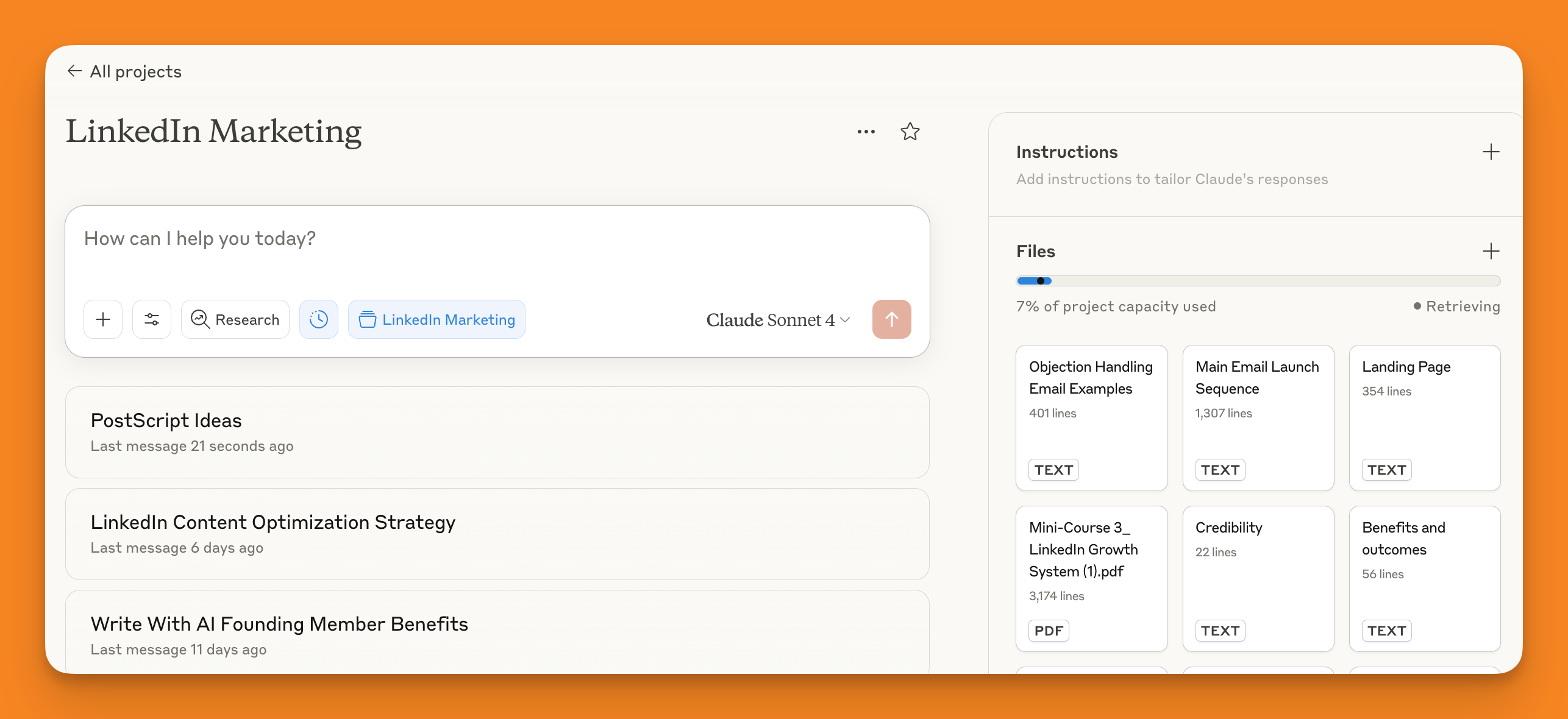
Claude brings a more nuanced, analytical approach to the table.
How writers can use Claude:
Gives human-like writing (the best of all the LLM we discuss here) so it sounds more like a person, less like a robot.
Editing, grammar checking, and for adding specific tones of voice
Create “Projects” where you upload all your content and can use it to create new pieces or even a digital course.
The only downside is that it can be quite cautious and less creative than ChatGPT, so give it some encouragement!
Tool 4: Poe

Want to be able to chat with different LLMs at the same time and compare results?
Poe lets you switch between different models within the same chat, allowing you to generate output from various different models and then select the “best” output. As the quality of output can vary across different models, using Poe can help you quickly spot the LLM output best suited to the task.
Now, onto the research powerhouse: Perplexity.
Tool 5: Perplexity
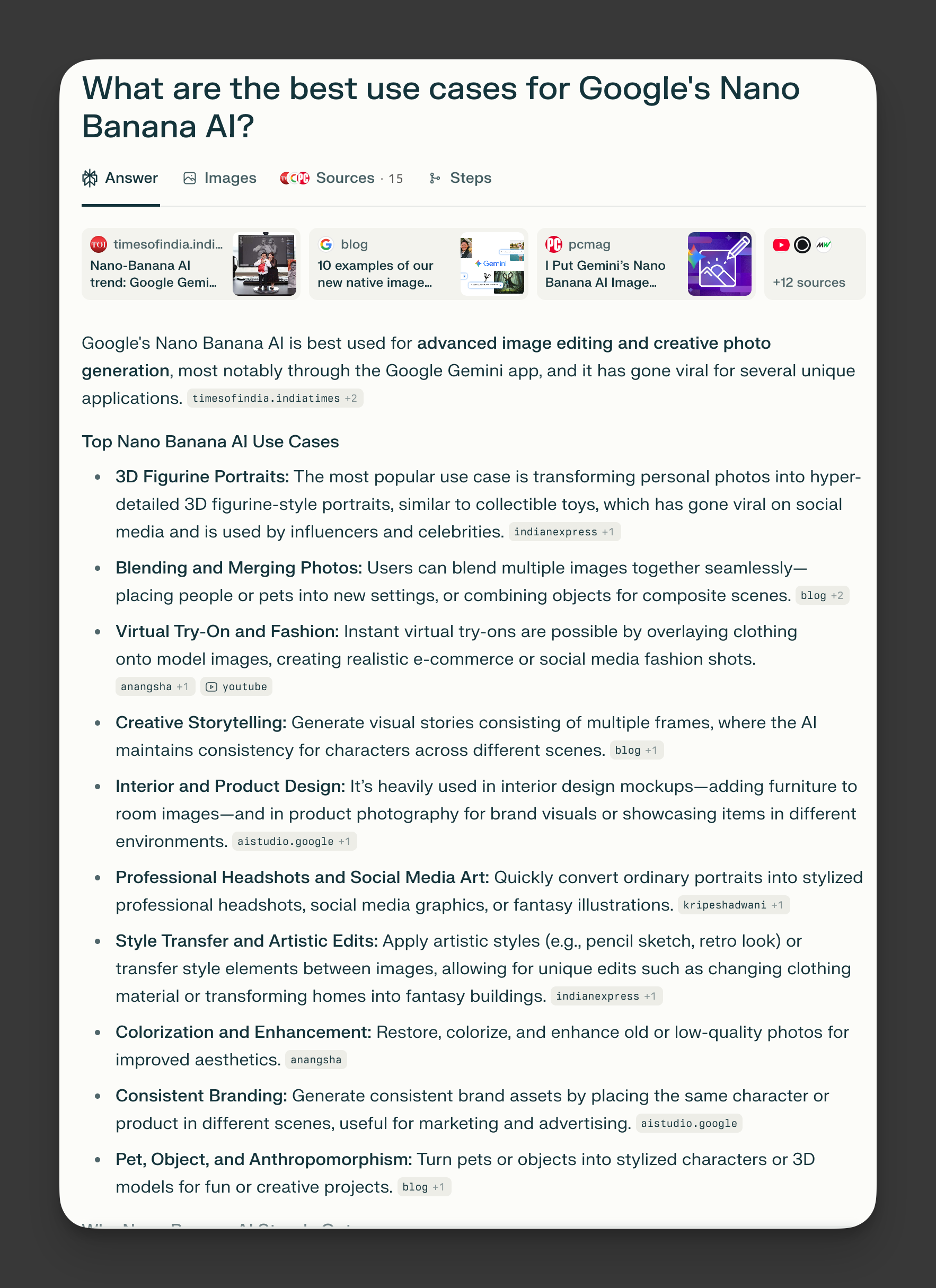
Perplexity is probably the ultimate AI research tool.
So if you’re writing content as a Fact Presenter, Storyteller, or Frameworker, you can pull the information you need for your content straight from this AI.
Here’s how writers can use Perplexity:
It provides up-to-date information by searching the internet in real-time. This will you help you access the latest facts and trends for your content.
Unlike some AI tools, Perplexity offers “more reliable” direct links to its sources so you can verify information and dive deeper into topics when needed.
The chat-like format makes it easy to ask follow-up questions and refine searches (rather than spending hours trying to get the perfect Google search terms).
The only downside is that you can easily overload yourself with information. Sifting through this information to find the “best” fact can take you hours.
Tool 6: Nano Banana
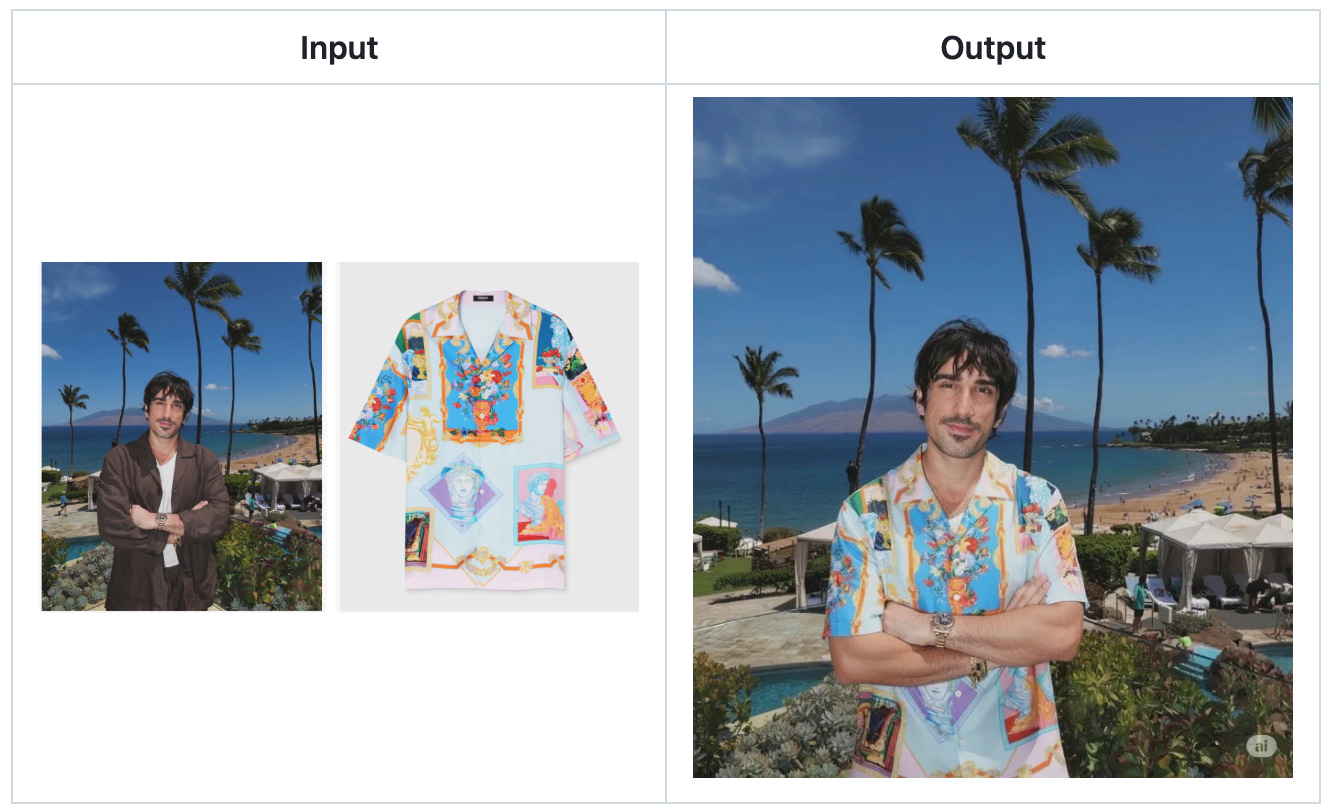
This is Google’s new AI tool for image generation, available inside Gemini or as a standalone tool.
Unlike Midjourney (Discord-based, prompt-heavy) or DALL-E (good but inconsistent for detailed edits), Nano Banana makes it easy to create consistent visuals. If you need to generate the same character, object, or brand element across multiple images, but in different poses, outfits, or settings, this tool handles it better than almost anything else out there.
You can drop in an image, tweak backgrounds, change props, adjust lighting, and still preserve the subject’s identity. That means less “regenerating from scratch.”
Tool 7: HeyGen

HeyGen turns your words into videos.
For writers, this means you can take scripts, emails, or newsletter snippets and instantly repurpose them into short-form videos without ever stepping in front of a camera. It has some of the most lifelike AI presenters available. They blink, move naturally, and lip-sync with high accuracy.
It’s not Hollywood, but it’s polished enough to use for client content, marketing campaigns, or building a personal brand.
Tool 8: Hemmingway Editor AI

This is your go-to AI-powered editor.
The non-AI version of AI grades your writing and highlights areas that can be improved, pointing out sentences that are:
Hard to read
Could be simplified
Or are written in a passive voice
But with the addition of AI, Hemmingway can rewrite all of your sentences to fix those problems and apply a tone of your choice.
Tool 9: n8n
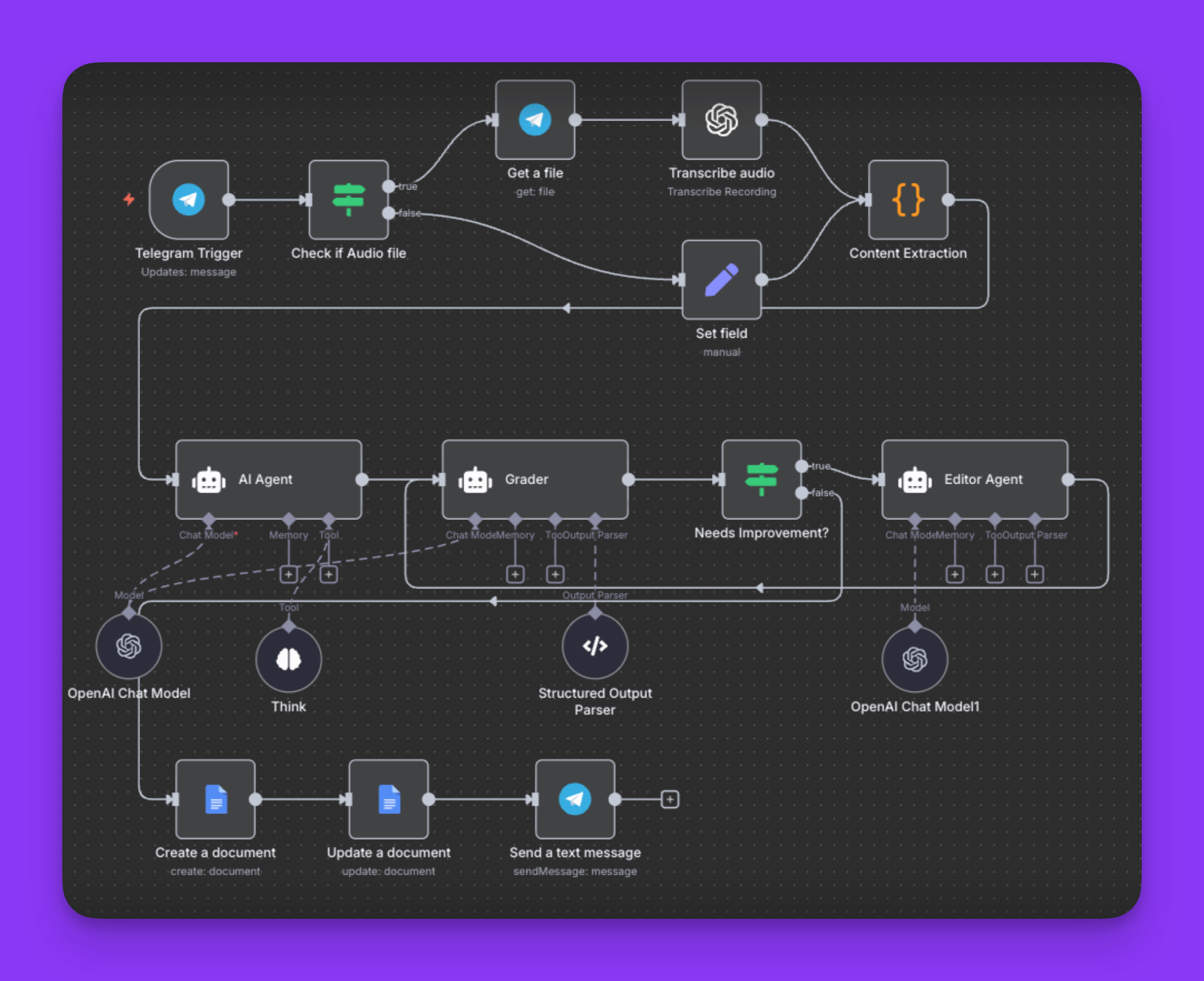
n8n is the automation layer for writers who want their content systems to run on autopilot.
Instead of bouncing between tools, you can connect them once and let n8n handle the busywork:
When you hit publish on Substack, n8n can auto-post to LinkedIn, archive the issue in Notion, and send a Slack ping.
Draft in ChatGPT or Claude and push the polished text straight into Google Docs or your CMS.
Tag and sort research notes automatically so nothing slips through the cracks.
Unlike Zapier (built for simple plug-and-play automations), n8n is open-source and fully customizable. This tool is best suited for writers running a content business who want flexibility, control, and time-saving automation over their workflow.
That’s it.
Chat soon,
—Dickie & Cole
Co-Founders of Ship 30 For 30
Co-Founders of Premium Ghostwriting Academy
Co-Founders of Typeshare
Co-Founders of Write With AI
PS…What’s your current “can’t live without it” AI tool?
Let me know in the comments.
Claude Sonnet 4. Everyday use.
I am really impressed with Gamma. Will explore more that!