
How to write powerful sentences
(Install this .skill)


I do this really nerdy thing every morning.
While most people are scrolling Instagram with their coffee, I’m sitting at my breakfast table reading the thesaurus. It’s been my ritual for years.
Maybe that’s why I’ve been able to write 10 books, train tens of thousands of writers, and generate millions of dollars from my ability to craft really great sentences.
And here’s the thing—writing better sentences isn’t about using fancier words or longer paragraphs. It’s about knowing a few tiny but powerful tricks that instantly make your writing stronger.
Today, I’m sharing eight of my favorites.
These are the techniques I use every single day, and once you start noticing them, you’ll see them everywhere in great writing.
And at the end, I’ll show you how I turned these rules into a Claude .skill that you can download and write better sentences by borrowing my brain.
Let’s dive in.
1. End Strong
The last word of your sentence should be the most impactful word in the sentence.
Here’s what I mean. Read this sentence: “Do you know the name of who the president is?”
Feels weak, right? That’s because it ends with “is”—a tiny, insignificant word that has no punch.
Now read this version: “Do you know the name of the president?”
Same meaning. Way stronger. All we did was make sure the last word carried weight.
2. Define Your Contractions
Don’t just throw around LTV, CTR, or SaaS and assume everyone knows what you’re talking about.
The first time you introduce a term, write it out fully, then put the contraction in parentheses right after. Like this: “lifetime value (LTV).” After that, you can use LTV all you want.
Here’s the deeper strategy though: every time you use a contraction without defining it, you’re shrinking your audience. You’re saying “this is only for insiders.” Sometimes that’s intentional and that’s fine. But if you want to reach more people, you need to make your writing accessible to people who aren’t experts yet.
3. Say It in Fewer Words
Most first drafts are bloated. That’s normal. The magic happens in the editing.
Here’s my process: First, write what you’re trying to say. Then, hunt for small words you can remove. Finally, rearrange the sentence to be grammatically correct with what’s left.
Let’s try it:
First draft: “Seven ways you can start to make more money your first year out of college by starting to write online.”
Second draft: “Seven ways to start making money your first year out of college by writing online.”
Third draft: “Seven ways to make money writing online as a new college graduate.”
Same message. Half the words. That’s the game.

4. Don’t Repeat Yourself
If you notice, I just said the same thing I already said in the heading. And in writing, that’s one of the most inefficient things you can do.
Writers constantly make a point, then immediately make the same point again in slightly different words. The reader gets bored because you’re not moving forward. You’re treading water.
The value of great writing is saying as many NEW things as possible, back to back.
5. Vary Your Word Choice
If you have to repeat an idea, use a different word.
Weak: “We pulled into the parking lot of the ice arena. I said it’s been forever since I stepped foot in an ice arena.”
Better: “We pulled into the parking lot of the ice arena. I said it’s been forever since I stepped foot in a rink.”
Just swapping out one word makes it immediately more readable.
6. One Advanced Word Per Sentence
Think fourth-grade reading level as your baseline. Then throw in ONE challenging word to keep things interesting.
Before: “With all those weird clothes on, he looked crazy.”
After: “With all those weird clothes on, he looked preposterous.”
That one word swap adds flavor without making the sentence inaccessible.
But if you go full David Foster Wallace and use advanced vocabulary in every sentence, you lose 90% of your audience. One challenging word feels like a fun puzzle. Ten challenging words feels like homework.
7. The Two-Comma Rule
Most sentences should have a maximum of two commas.
If you have more than two, you’re either rambling (which means you don’t know what you’re trying to say), or you need to commit to the bit and use twelve commas intentionally to create rhythm and pacing.
The valley of death is three to six commas. That’s where sentences go to die.
Two or fewer keeps things tight. More than six becomes a stylistic choice that can work if you know what you’re doing.
8. Kill Your Adverbs
Hemingway said it first: when in doubt, remove the adverb.
Why? Because adverbs usually just repeat what you’ve already said. “He ran quickly” vs “He sprinted.” The second one is cleaner and stronger.
Your writing will be more succinct and more powerful without them.
How To Write Powerful Sentences With Claude
These eight rules will immediately tighten up your writing and make every sentence hit harder.
And because they’re objective, you can point to a sentence and prove whether the rule was followed or not.
Which means they can be transferred to an editor, to a team member…or to an AI like Claude.
If you can articulate a skill, you can clone it with Claude.
You can do this with writing rules, content frameworks, editing checklists, research processes, and so on.
Anything step-by-step like these 8 writing rules, you can turn into .skill in Claude.
A .skill is just a knowledge file that teaches Claude how to do a specific task. Instead of re-explaining your process every conversation, you save it once as .skill.
The minute someone explains “here are the 7 steps I follow” or “these are the 5 things I check every time”—that’s .skill material.
And if you want to try on someone else’s brain to see how they work, this is how you do it.
Here’s how I cloned my 8 writing rules:
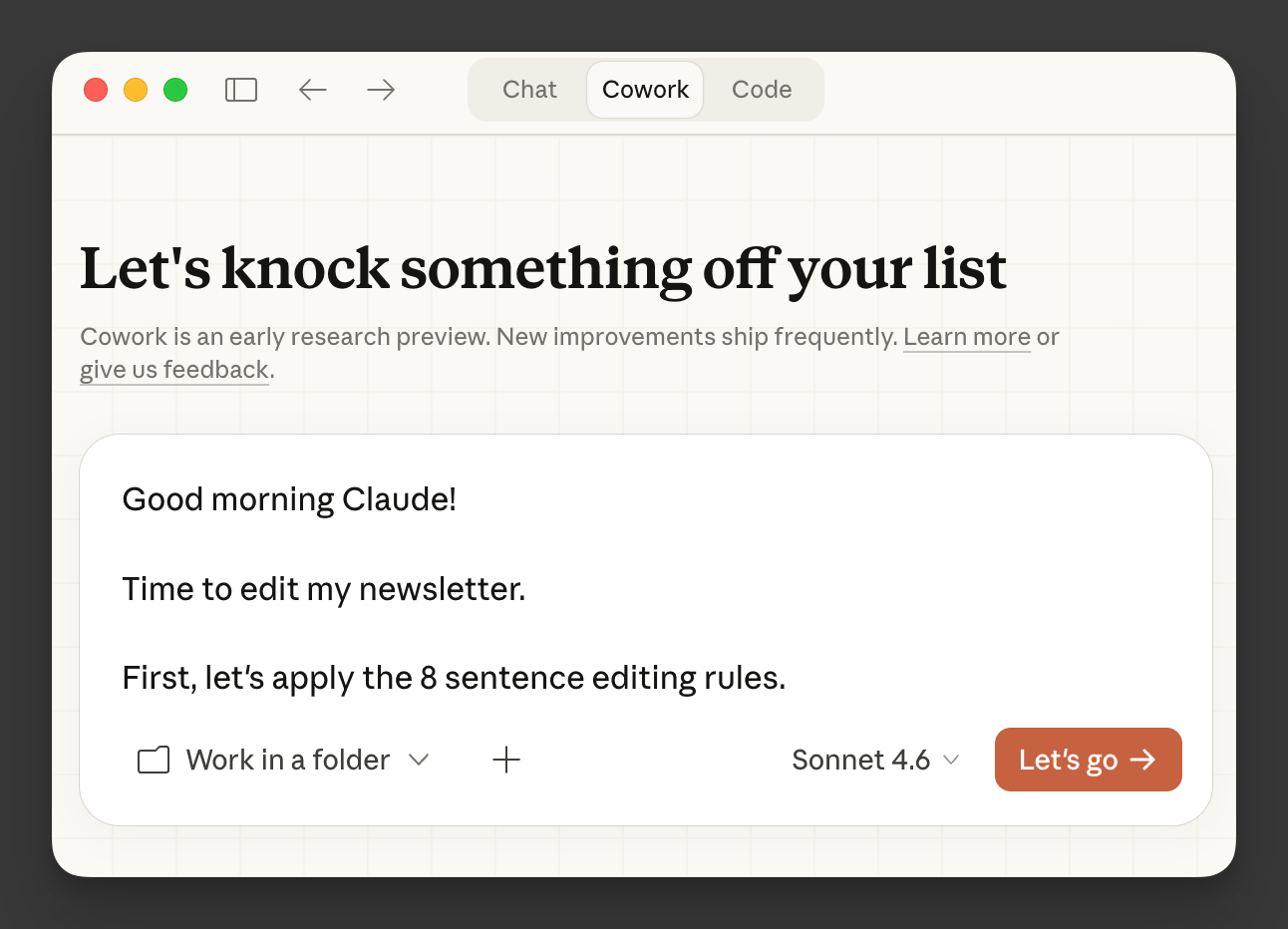
I fed my YouTube transcript to Claude Cowork and said: “Turn this into a .skill I can use to edit my writing.”
Claude turned it into a SKILL.md file with all 8 principles formatted as editing instructions.
Cowork installed it in my Skills folder.
That’s it.
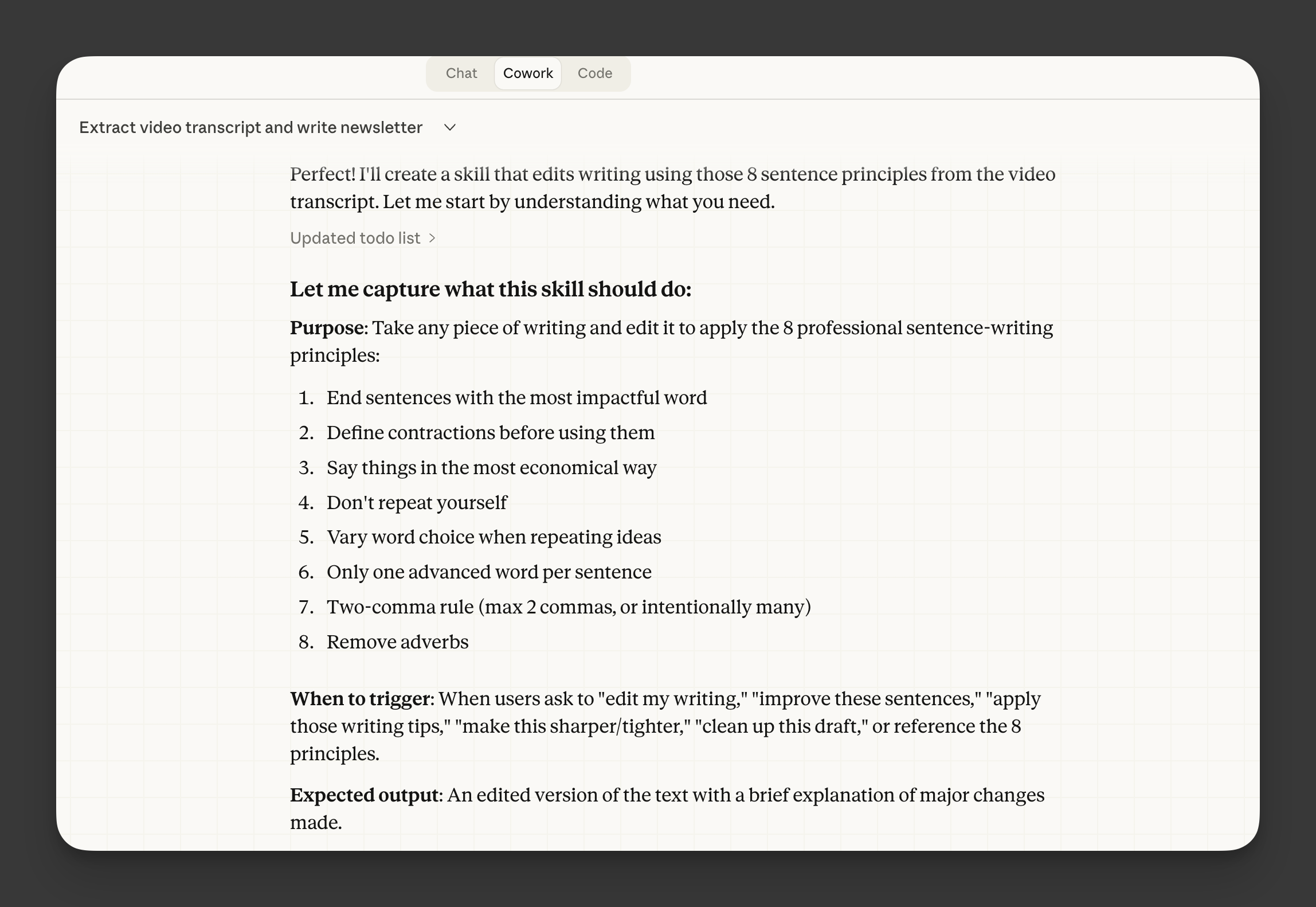
Claude has the writing rules piece of my brain permanently loaded.
And anytime I want Claude to edit a draft using these principles, I just open Claude, paste in my text, and it knows exactly how I want my sentences tightened.
In case you’re wondering, I used Claude Cowork to build the sentence editor skill.
Cowork is better than regular chat because it can create files, install them in folders, and execute tasks using other apps on your behalf. So rather than copying and pasting these rules into every conversation, you can save them once and Claude remembers them permanently.
To be clear, this process is a very simple example of what you can do with Cowork.
But if you want to learn how to clone your skills and create an AI system that compounds over time, then learning how to build and save .skills is the way.
And starting next Monday, February 22nd, we’re teaching this (and a lot more) inside the Claude Cowork Bootcamp.
Doors close this Sunday at midnight.
Click here to join the Claude Cowork Bootcamp and clone your expertise to build leverage forever.
See you on the inside,
Dickie, Cole, & Mitch
Oh, I almost forgot…
Click here to download the sentence-editor .skill here.
Give it a try and let me know what you think.
Enjoy.

 | A guest post by
|
Cookin'!
Can't wait for the bootcamp next week
Hi Nicolas, I am a paid member of Write with AI. In one of the post “How to Write Headlines," the link headline-writer.skill.zip is not opening. Could you please check it.